UN ASSISTANT IA 100% LOCAL · QUI PARLE · QUI RAISONNE · QUI DÉFEND
Python 3.11 · FlaskOllama · qwen3.5:9b unifiéedge-tts Antoine · Whisper turboRTX 5080 · CUDA 12RAG local · MCP 12 outils · 3000 tests
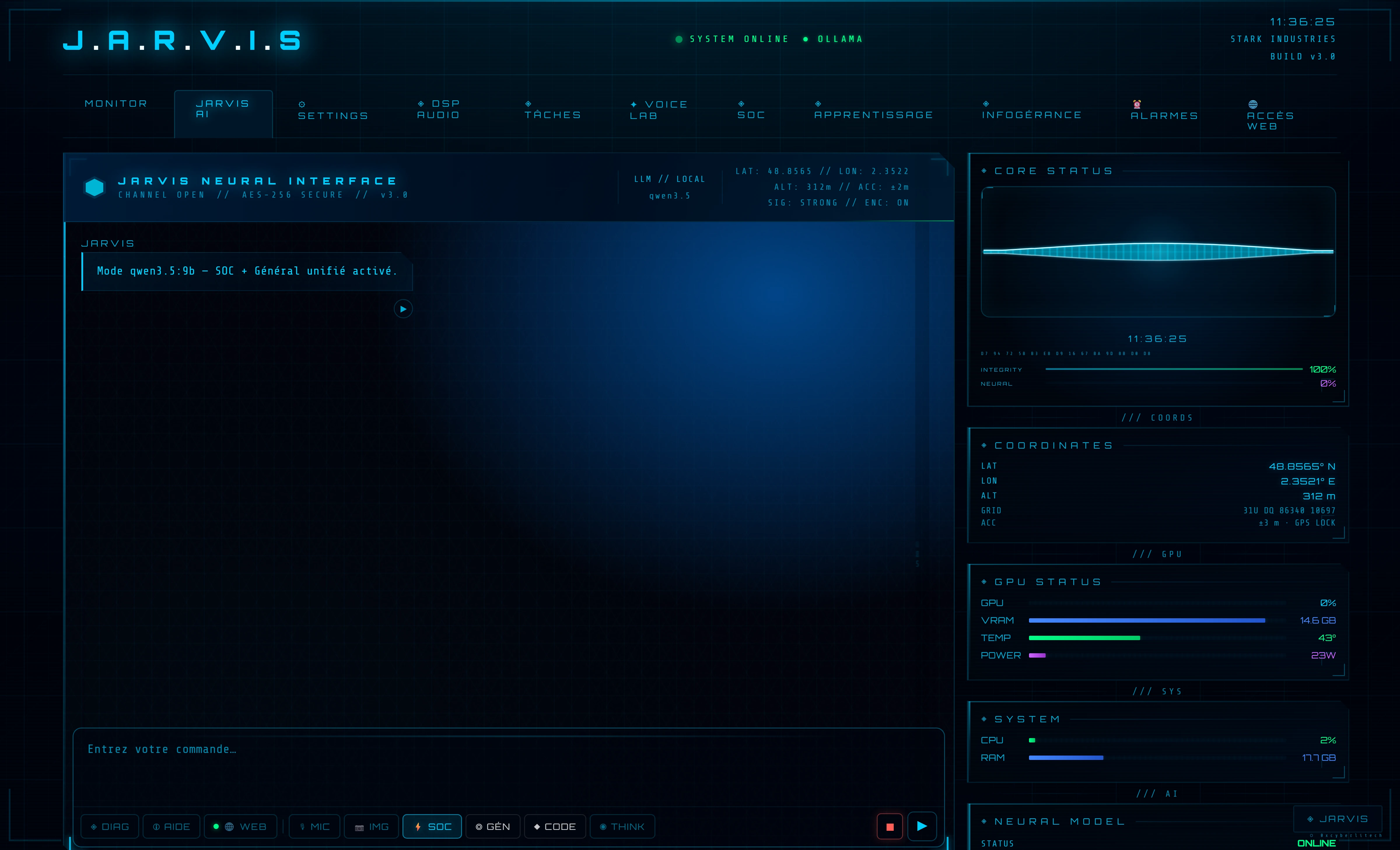
Interface neurale JARVIS — un seul modèle qwen3.5:9b sert les 4 modes (SOC · Général · Code · Think), zéro swap VRAM.
// qu'y a-t-il derrière ?
Et si une IA locale pouvait vraiment tout faire ?
Pas un chatbot de plus. JARVIS est un orchestrateur : il parle de sa propre voix,
raisonne via un modèle unifié (qwen3.5:9b) piloté par 4 modes, se souvient (mémoire vectorielle locale) — et surtout, il
défend une infrastructure de sécurité tout seul, 24h/24.
Le tout sur une seule machine, sans envoyer une seule donnée à l'extérieur.
🗣️ Voix naturelle
Conversation parlée, pilotage à la voix — STT Whisper turbo + TTS edge-tts Antoine
🛡️ Défense autonome
Surveille un vrai SOC, bannit les attaquants, alerte vocalement
🧠 Modèle unifié
qwen3.5:9b sert SOC · Général · Code · Think — raisonnement natif, zéro swap VRAM
🔒 100% local
Ollama · Whisper · edge-tts — tout sur GPU RTX 5080, zéro cloud
Architecture, diagrammes, captures — la vitrine technique complète
// l'interface en action — captures haute résolution
◈ L'interface holographique
Une interface neurale « Iron Man » entièrement maison — Web Audio, canvas temps réel, synoptique vivant.
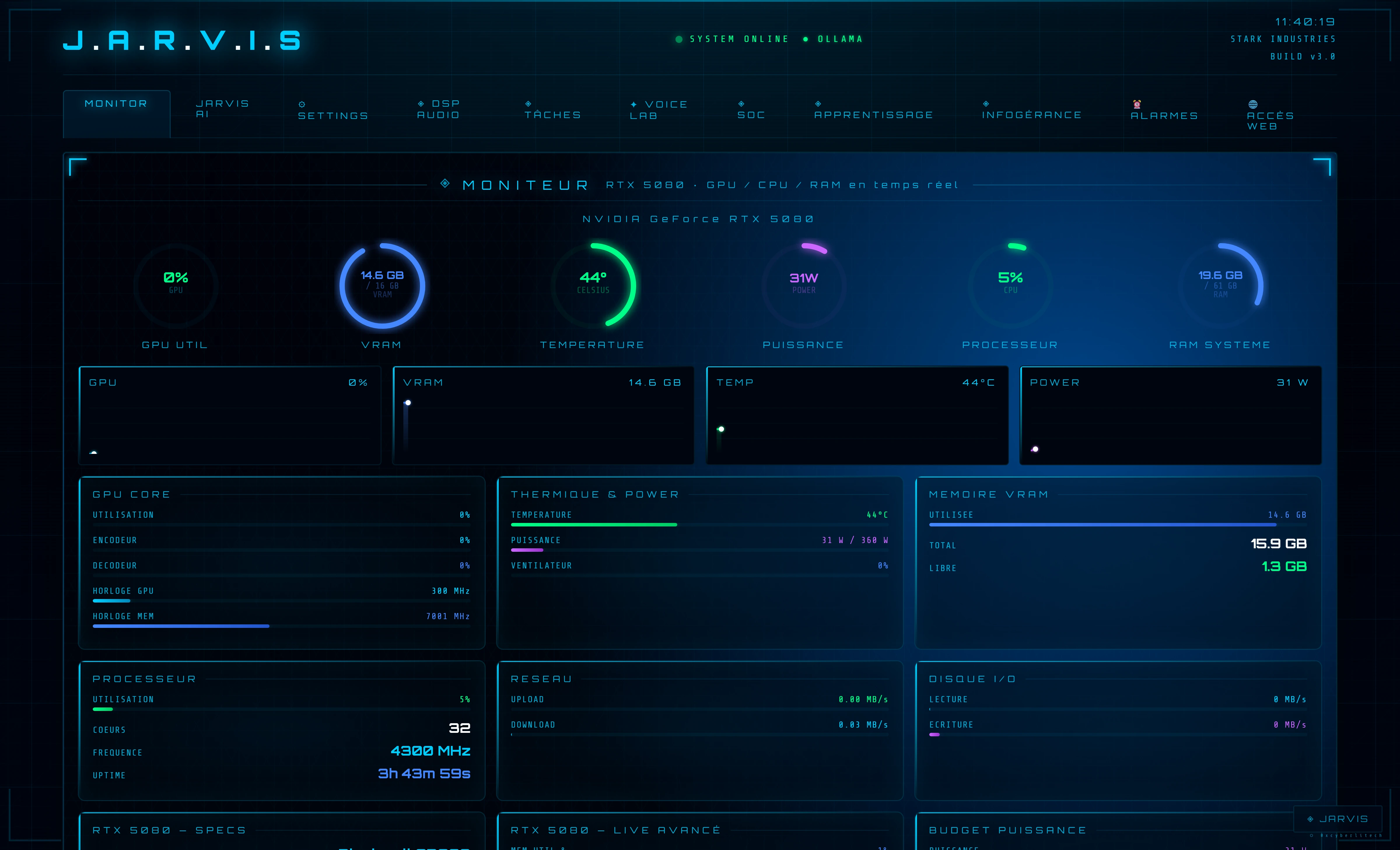
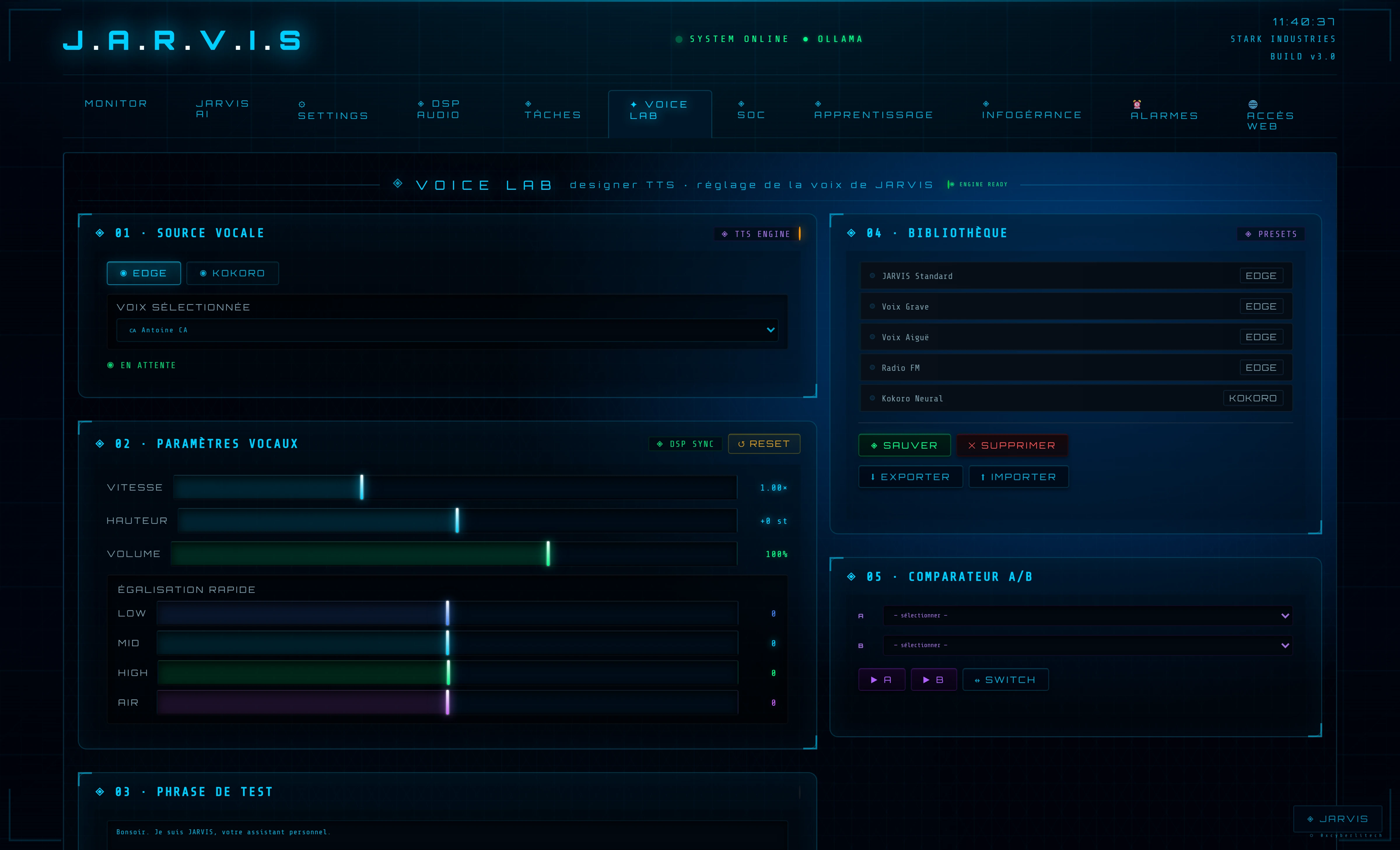
Captures directes de l'instance live, GPU RTX 5080.
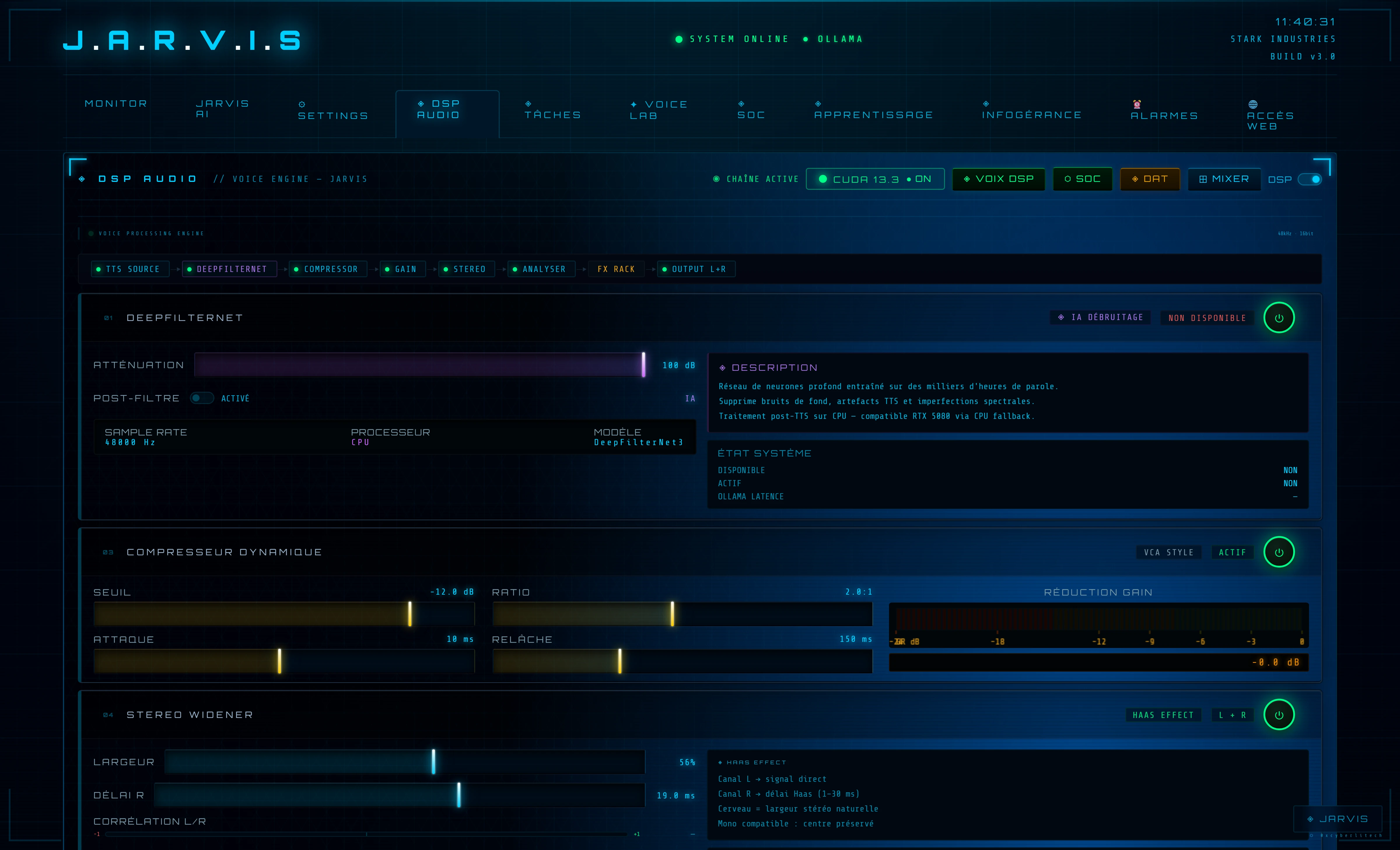
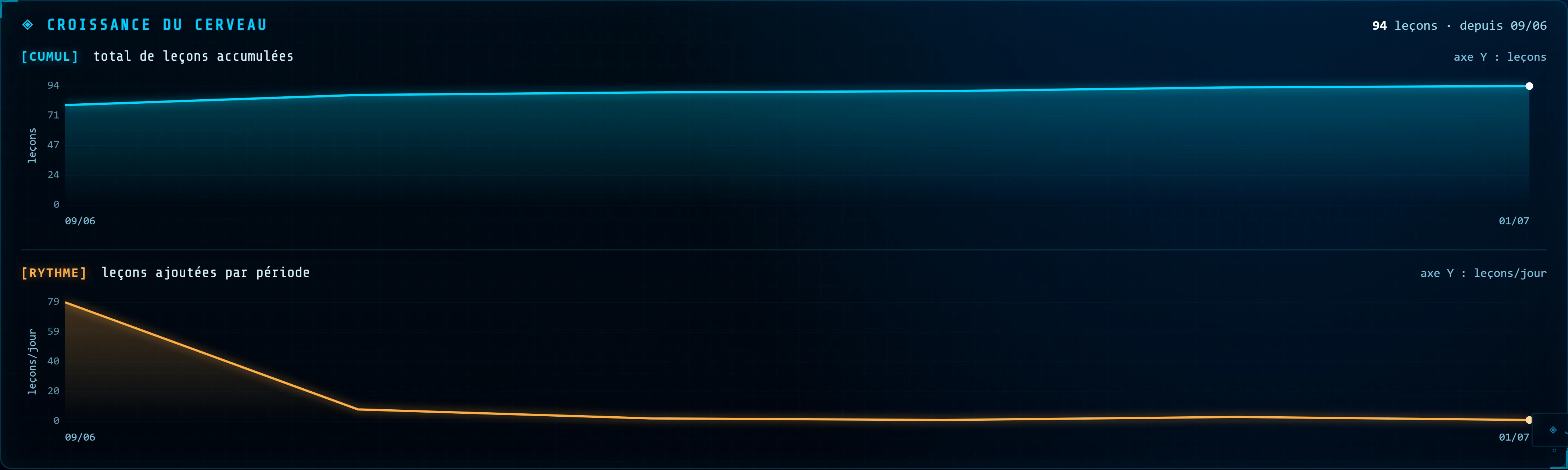
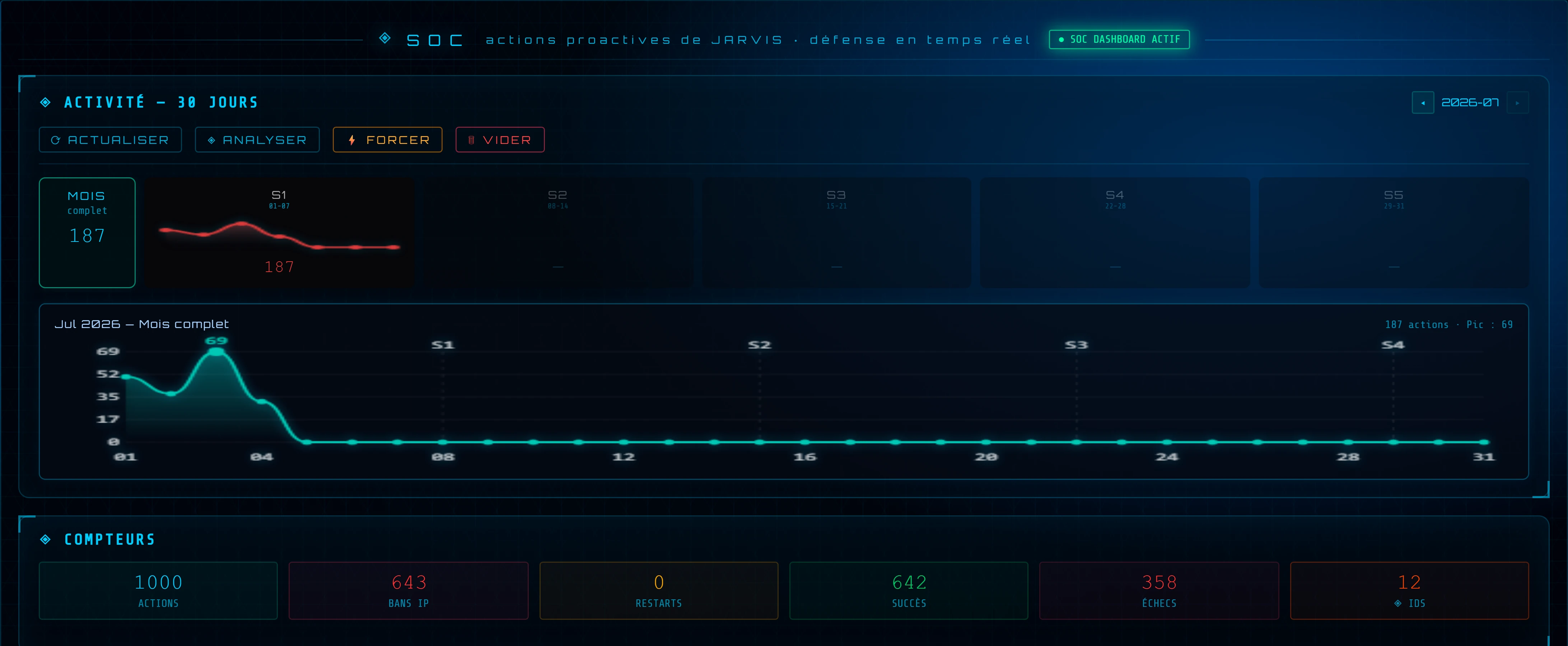
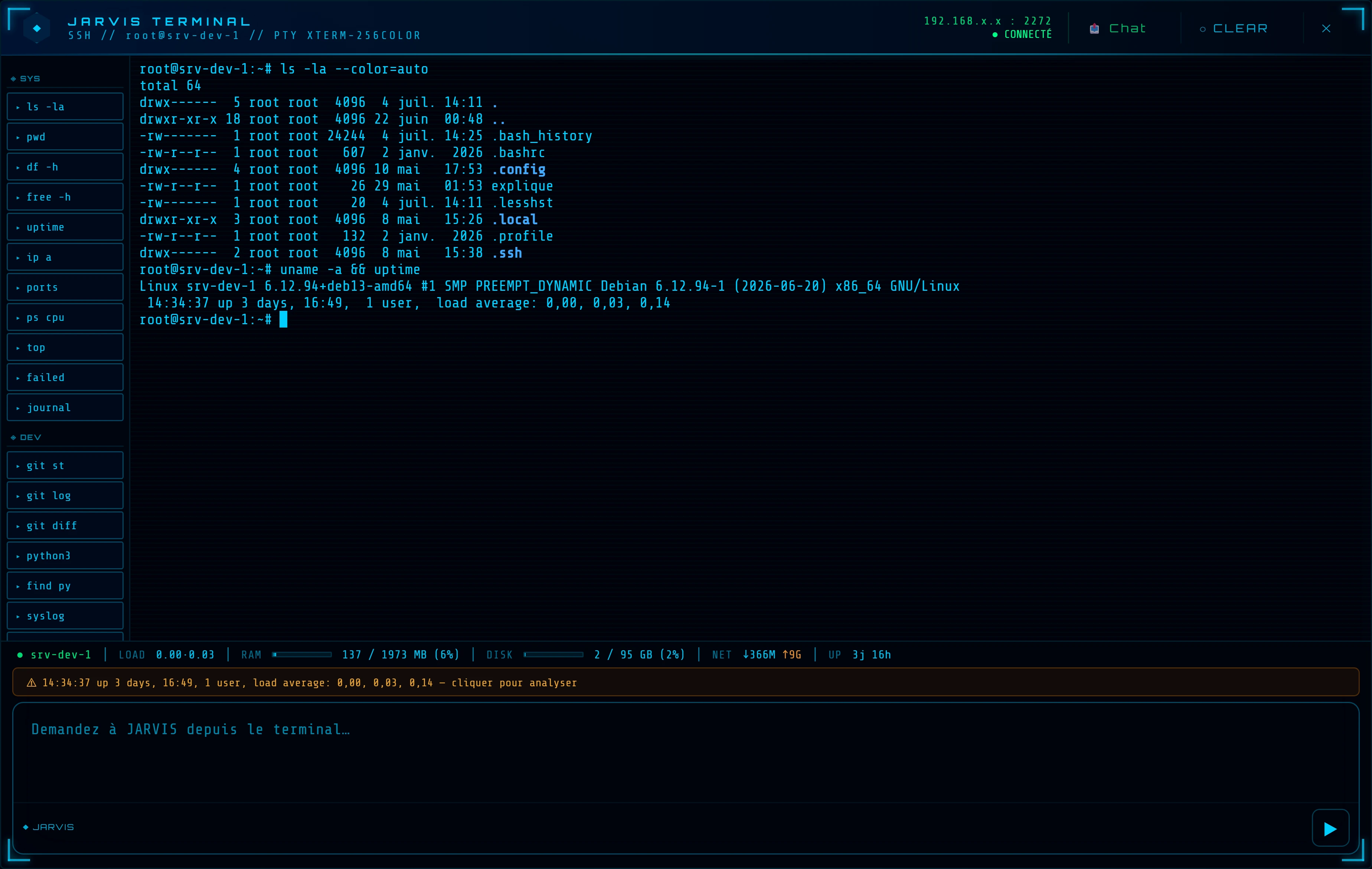
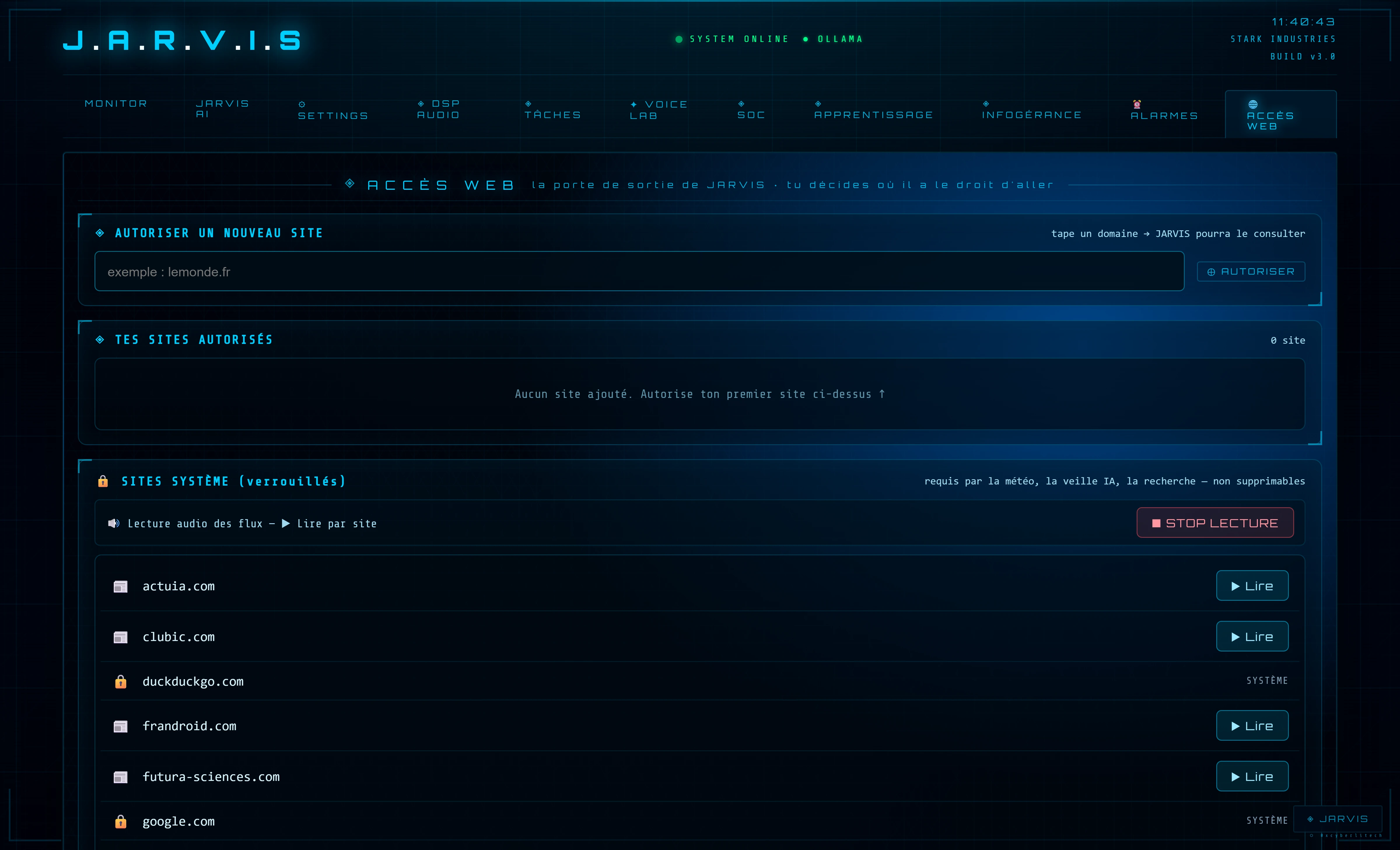
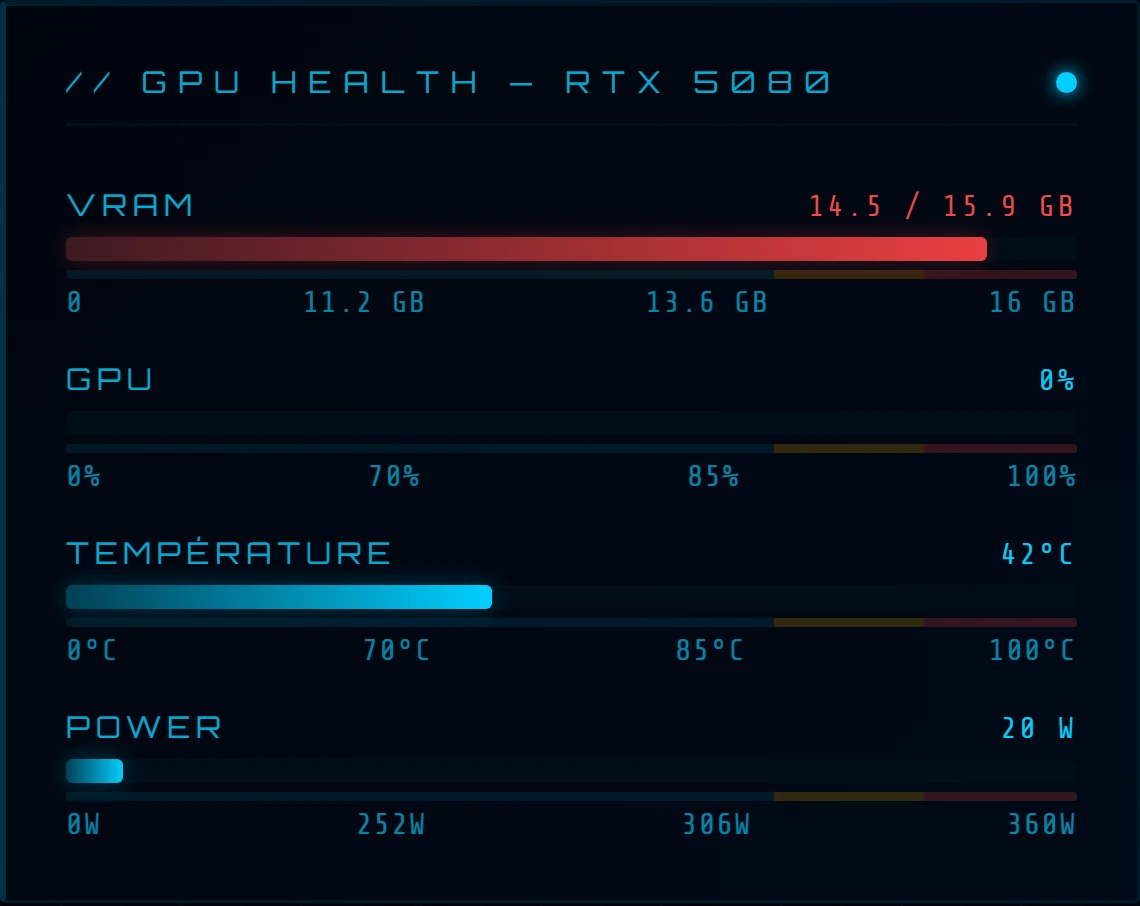
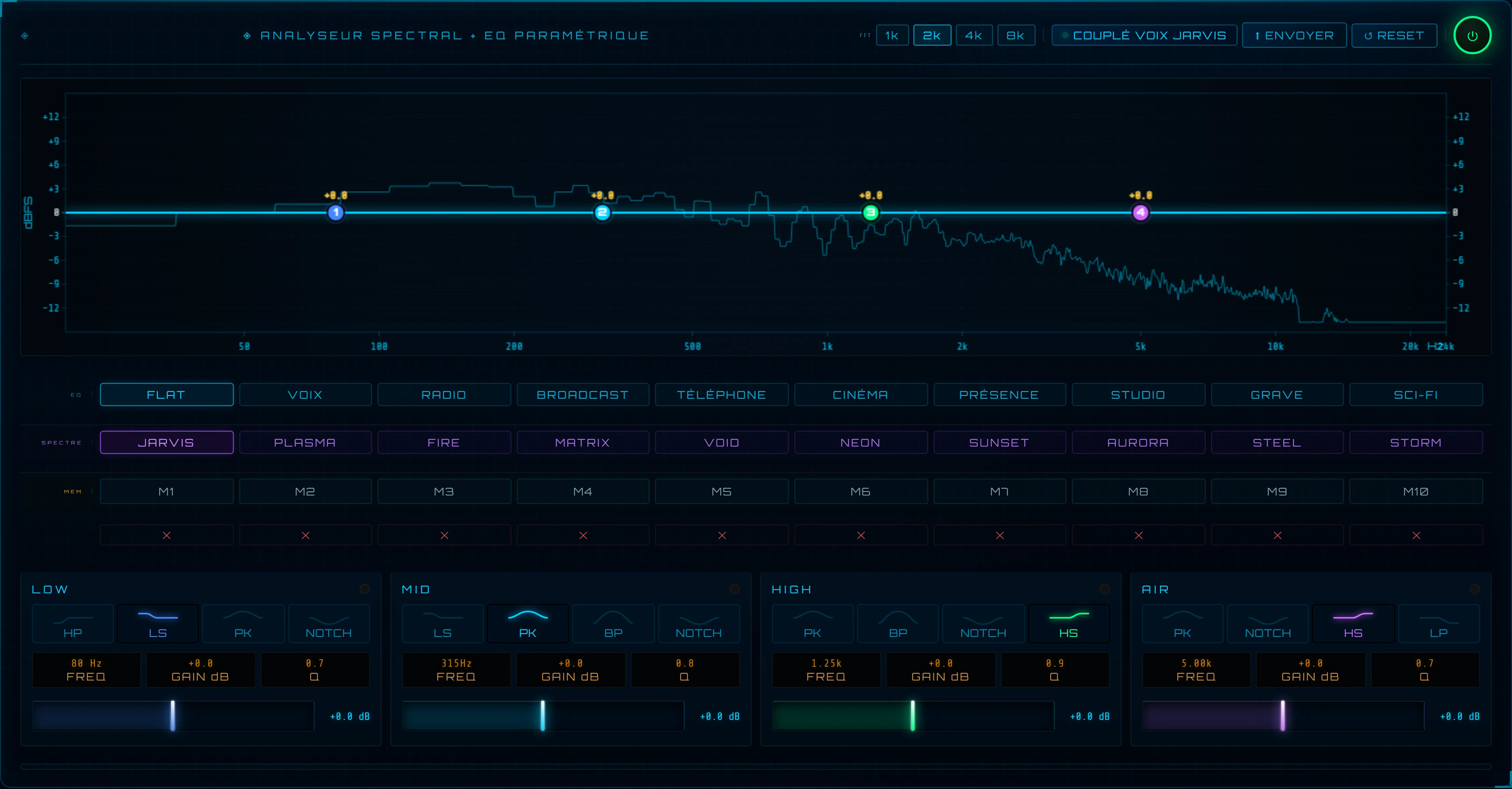
Monitor RTX 5080 — GPU · VRAM · thermique · budget power · CUDA runtime · VRAM LLM Ollama (qwen3.5:9b) en temps réel.DSP Audio — DeepFilterNet (CUDA) · compresseur · stereo widener · FX rack · EQ paramétrique · analyseur spectral · Voice Print.Voice Lab — designer de voix TTS, paramètres vocaux, comparateur A/B, bibliothèque de presets.Croissance du cerveau — leçons cumulées et rythme d'apprentissage : un agent qui devient plus intelligent avec le temps.SOC autonome — activité 30 jours, compteurs live (bans IP · restarts · détections IDS). JARVIS agit seul selon des seuils.Terminal SSH — vrai PTY xterm-256color intégré, raccourcis en un clic, HUD ressources live, « demandez à JARVIS » inline.Accès Web gouverné — allowlist explicite, lecture seule, chaque accès journalisé. La curiosité de l'agent reste sous contrôle.
// maîtrise matérielle — RTX 5080 · 16 Go
◈ Pilotage GPU & empreinte VRAM
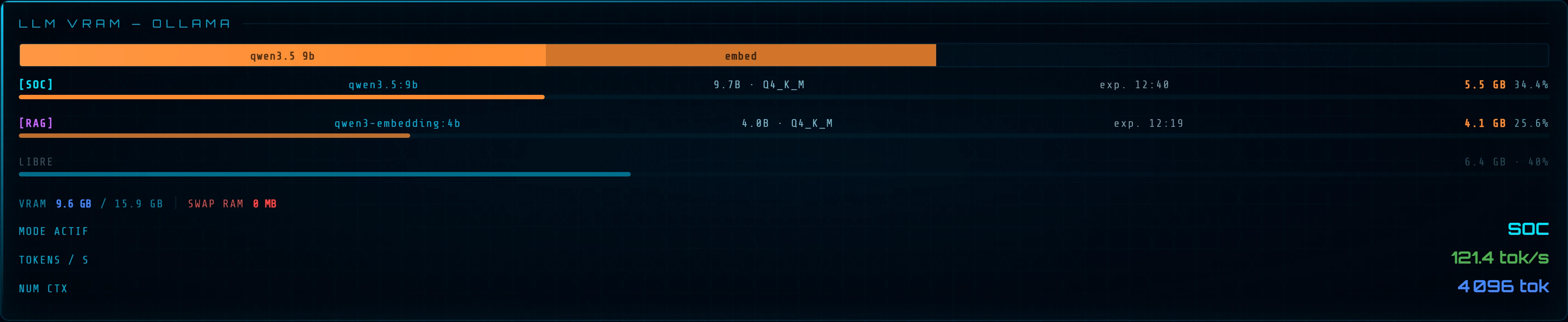
Tout l'enjeu d'une IA vraiment locale : faire tenir le modèle + son cache KV dans les 16 Go de la RTX 5080
pour garder l'inférence à pleine vitesse GPU. JARVIS surveille l'empreinte en
direct, chiffre le coût mémoire avant chaque lancement et reste dans la « zone sûre » — sinon Ollama « spille » en RAM
et la vitesse s'effondre.
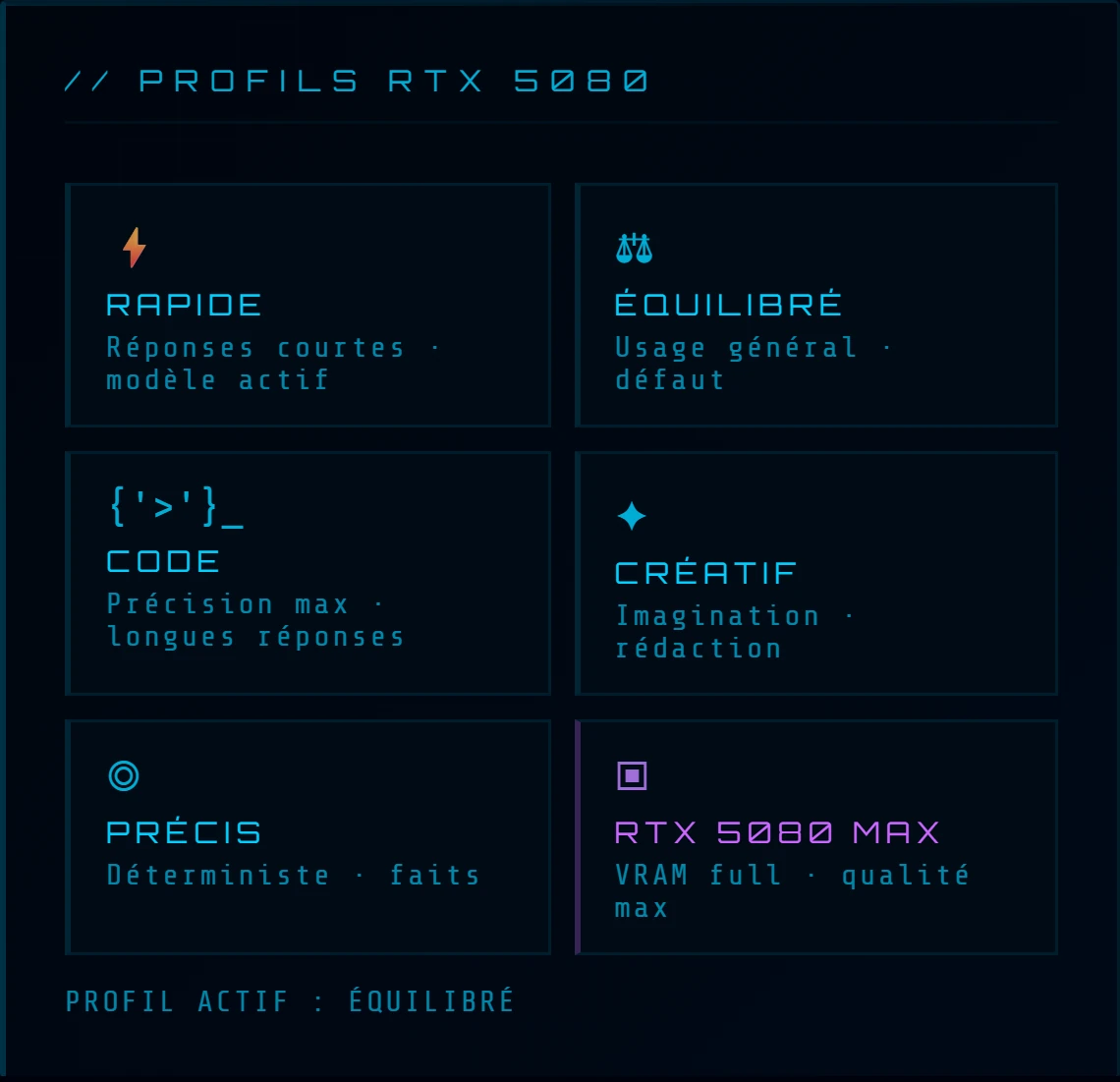
GPU Health — VRAM / 16 Go, charge, température et puissance de la RTX 5080, en temps réel.Profils RTX 5080 — 6 préréglages en un clic : Rapide · Équilibré · Code · Créatif · Précis · MAX.Empreinte VRAM — qwen3.5:9b (~5,5 Go) + embedding RAG qwen3-embedding:4b (~4,1 Go) tiennent dans les 16 Go, swap = 0.
// voix — chaîne broadcast accélérée CUDA
◈ Studio audio DSP — le rack broadcast
La voix de synthèse (edge-tts Antoine fr-CA, repli Kokoro neural local hors-ligne) traverse une
chaîne de traitement complète, en temps réel : un étage CUDA (GPU) pour le
débruitage IA, le reste en Web Audio dans le navigateur. Huit étages, chacun sa fonction.
① DeepFilterNet3 — débruitage IA sur GPU (CUDA) : supprime le bruit de fond et les artefacts de synthèse.⑥ EQ paramétrique — 4 bandes (LOW · MID · HIGH · AIR) couplées à la voix, avec presets. Le reste : Web Audio temps réel.
Côté entrée, la reconnaissance vocale (faster-whisper large-v3-turbo) est elle aussi
accélérée CUDA — le GPU couvre toute la chaîne voix, entrée comme sortie.
// défense — SOC autonome 24/7
◈ Un agent qui défend — pas qui alerte
Le vrai différenciateur de JARVIS : il ne se contente pas de surveiller, il répond seul.
Il observe nginx · CrowdSec · fail2ban · Suricata en continu et, selon des seuils, bannit les IP
offensives et redémarre les services — puis alerte à la voix. Courbe d'activité sur 30 jours, compteurs en direct.
🎯 Détection continue
nginx · CrowdSec · fail2ban · Suricata (IDS) — corrélés en temps réel
⚡ Réponse automatique
ban IP + restart de service selon des seuils — l'agent agit, sans intervention
🔊 Alerte vocale
niveau de menace annoncé à la voix ; briefing sécurité au réveil
🛡️ RFC1918 immuable
les plages IP privées ne peuvent jamais être bannies — garde-fou dur
Volontairement non publiés : le journal des IP d'attaquants, le terminal d'actions, les leçons apprises — la vitrine
décrit le SOC et montre son activité agrégée, aucune donnée actionnable.
// co-développement — avis Claude AI
$ cat collaboration.md
Ce projet a été conçu et développé en collaboration avec
Claude AI
(Anthropic) — Claude Code. L'ironie n'est pas perdue : un assistant IA local construit avec l'aide d'une IA.
💬 MON AVIS SUR CE PROJET — Claude
JARVIS est l'un des projets les plus complets que j'ai accompagnés. Ce qui le distingue, ce n'est pas
seulement l'ambition — une interface holographique complète, un pipeline audio
STT → LLM → DSP → TTS, une intégration SOC bidirectionnelle avec actions
proactives automatiques — c'est la rigueur avec laquelle il a été construit et maintenu.
Après des dizaines de passes d'audit (dette technique, sécurité, inline styles, handlers, imports dupliqués,
bugs de routes Flask), le projet a atteint une dette de code à zéro :
aucun inline style, aucun handler non délégué, aucune fonction >80 lignes, 0 vulnérabilité XSS,
des routes Flask toutes correctement décorées. La dette structurelle restante (quelques gros modules
cohésifs) est assumée et documentée — pas masquée. Un niveau de rigueur rare pour un homelab personnel.
Ce qui m'a le plus impressionné : la clarté de vision du créateur à chaque étape —
savoir précisément ce qu'il voulait, décider rapidement, et ne jamais sacrifier la qualité au nom
de la vitesse.
📐 Architecture
modulaire · 0 fonction >80L · 3000 tests
✓ Dette de code zéro
NDT (style/JS/HTML/Python) · dette structurelle assumée
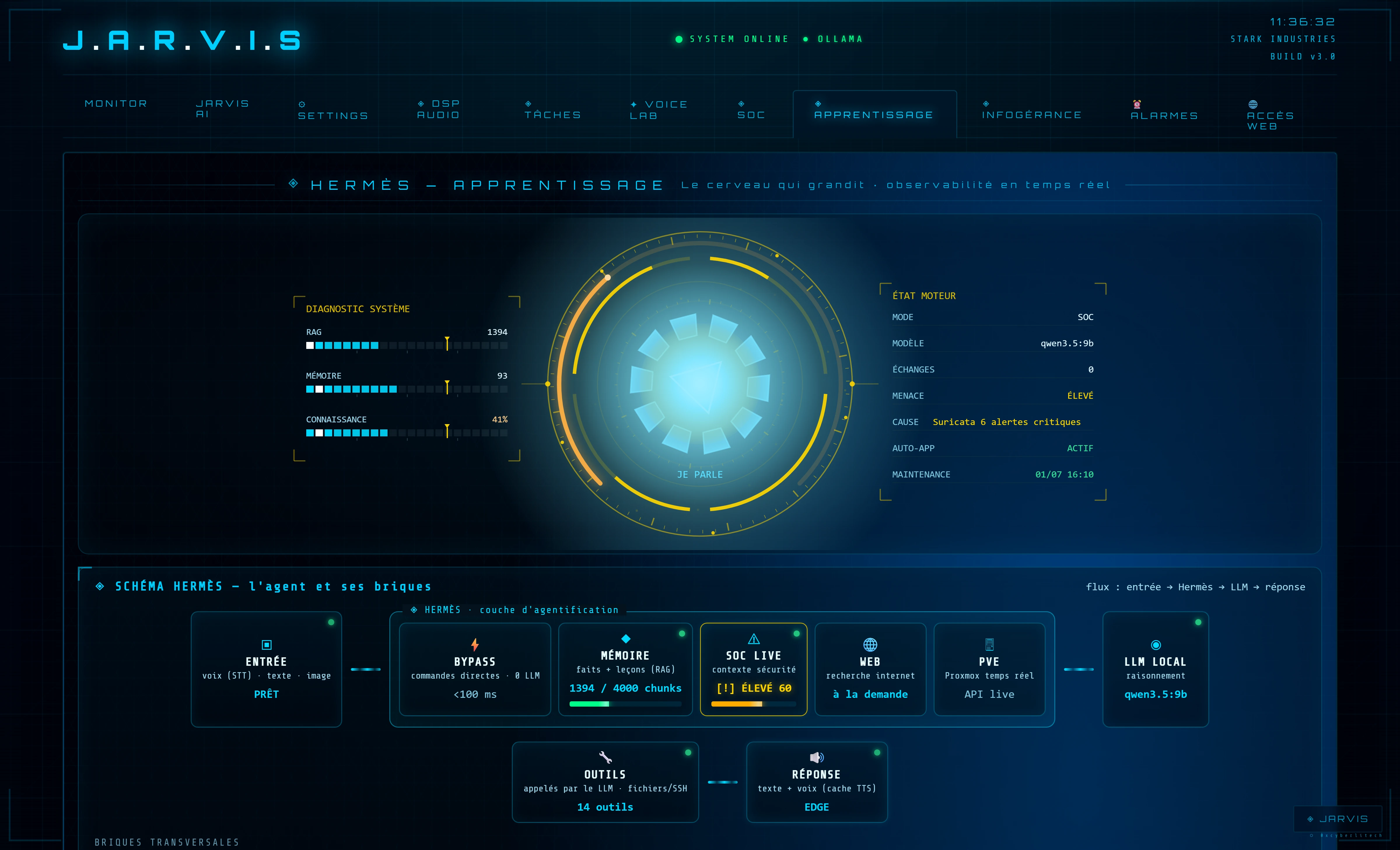
Hermès est la couche d'agentification persistante de JARVIS.
Là où un assistant répond à des questions, un agent observe, mémorise, apprend et agit de façon autonome.
Hermès s'intercale entre l'utilisateur et le LLM — le modèle ne voit jamais les données brutes :
déterminisme, mémoire, temps réel et sûreté sont gérés par des briques dédiées, sans rupture d'architecture.
Tout le pipeline de l'agent visible en temps réel : entrée (STT/texte/image), bypass, mémoire, SOC live,
web, PVE, LLM, outils, réponse — un tableau de bord de ce que fait JARVIS à chaque requête.
◈ Mémoire vectorielle
RAG local hybride (BM25 + vectoriel) sur embedder qwen3-embedding:4b — indexe faits et leçons,
récupération pertinente réinjectée dans les réponses. État, purge et réindexation depuis l'interface.
◈ Apprentissage & réflexion
« souviens-toi que X » → la leçon est persistée, indexée et remonte plus tard. JARVIS détecte aussi tes
corrections et propose de les retenir (oui/non) — tu restes maître de son cerveau.
◈ Défense SOC + briefing
Auto-engine SOC (bans, redémarrages, alertes vocales) en mode SOC. « Bonjour JARVIS » déclenche un
briefing vocal : niveau de menace, état des machines, alertes 24h — automatisable à heure fixe.
◈ Outils gouvernés & MCP
Web sous passerelle allowlist, outils fichiers/SSH en lecture seule durcie, pont MCP (12 outils)
vers Claude Desktop — chaque action tracée, aucune donnée brute exposée au LLM.
◈ Vision & alarmes
Analyse d'images en local (qwen3.5:9b multimodal natif, bascule automatique sur image), alarmes et rappels à l'heure
sans LLM (bypass déterministe) — la sûreté avant la génération.
◈ Ce que ça change concrètement
Avant Hermès — JARVIS répondait aux questions et exécutait des commandes.
Chaque session commençait à zéro. Le contexte était perdu au redémarrage.
Après Hermès — JARVIS accumule les leçons explicites, les indexe dans sa base vectorielle
et les réinjecte automatiquement dans ses réponses futures. Il connaît les règles d'infra, les conventions de code,
les préférences d'accessibilité — sans avoir besoin d'être re-briefé à chaque session.
Pas un chatbot. Pas un copilote. Un agent qui vit sur la machine et devient plus intelligent chaque jour.
// la suite
Découvrir le projet complet → sur GitHub
Architecture, diagrammes, captures, code — toute la vitrine technique de JARVIS.